Look for m³ or ft³ on the gas meter, then copy the whole-number reading in the format your supplier requests. You’re telling them the volume that has passed through the meter. They will convert the change in volume into billable energy.
EnergyFigures editorial team · Published · Reviewed
A decimal point makes a big difference
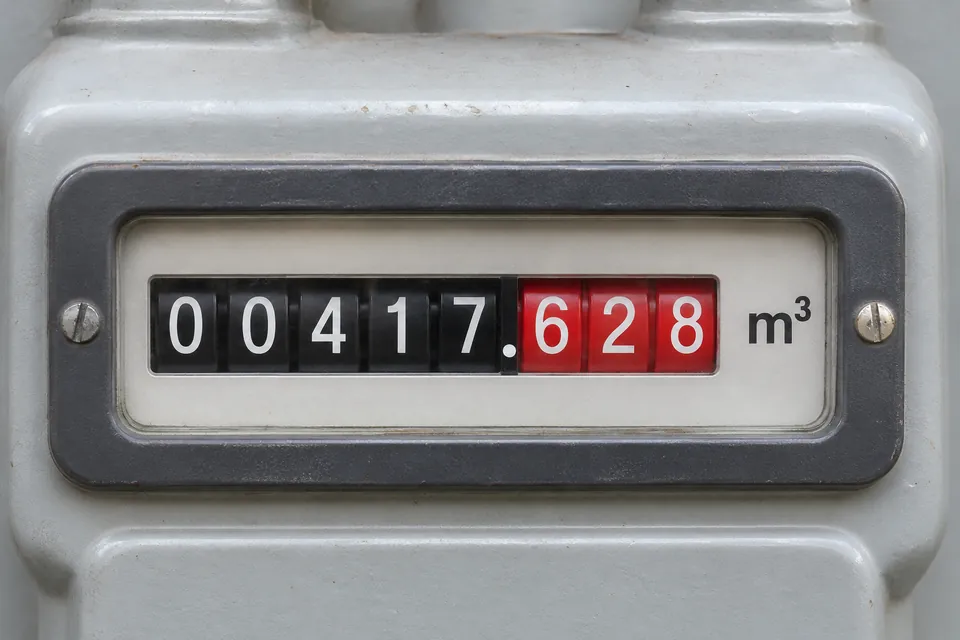
Say a metric meter shows 00417.628 m³. The whole reading is 00417. The 628 after the point is a fraction of the next cubic metre. Photograph the screen with its unit visible, then transfer the digits to the form. Follow the supplier’s instructions about leading zeroes.
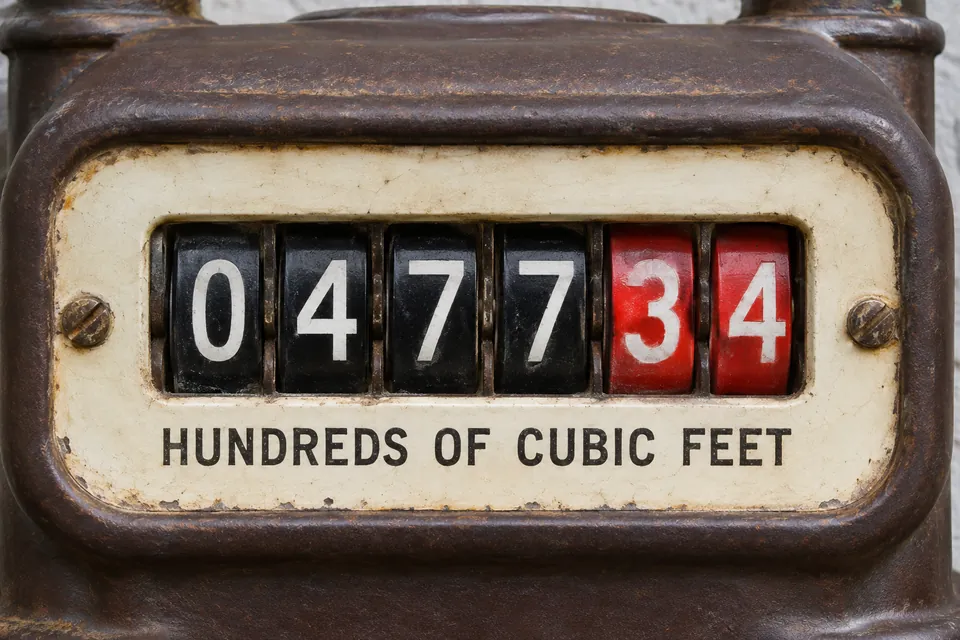
On an imperial meter the register may count hundreds of cubic feet. Keep the meter’s displayed digits. Converting them to cubic metres before sending a reading can cause the supplier to apply the conversion twice.
- How to read your gas or electricity meter - Citizens Advice
Citizens Advice. Electricity dials, two rates, digital and gas registers. Accessed 25 November 2026.
Has the meter been replaced?
A new meter can start at a much lower reading. Write “old meter, final reading” and “new meter, opening reading” against the separate serial numbers and dates. Don’t subtract one meter’s reading from the other.
If you only want to submit a reading, you’re done. To check the kWh shown on a bill, use the gas conversion guide with readings from the same meter.
- Gas meter readings and bill calculation - GOV.UK
GOV.UK. Volume, correction factor, calorific value and conversion to kWh. Accessed 25 November 2026.
Sources and further reading
- How to read your gas or electricity meter - Citizens Advice
Citizens Advice. Electricity dials, two rates, digital and gas registers. Accessed 25 November 2026. - Gas meter readings and bill calculation - GOV.UK
GOV.UK. Volume, correction factor, calorific value and conversion to kWh. Accessed 25 November 2026.
Related resources
- How to convert gas meter readings into kilowatt-hours
Trace a gas conversion error through register scale, metric volume, split billing periods and the correction and calorific factors.
- How to read your gas bill
Understand gas bill readings, the conversion from meter volume to kWh and how the supplier charges for standing days.
- How to read a smart meter
Copy the right smart meter import register or gas volume reading, keep the register label and record what you submitted.
- How smart meters work
Follow a kettle boil from electricity meter to display to supplier, and see which connections depend on home broadband.
- How to read a traditional electricity meter
Read whole digits, two-rate rows and mechanical electricity dials, including the tricky pointer between nine and zero.
- How to understand your smart meter in-home display
Use a kettle boil to read current demand, daily energy and estimated spending on your smart meter display.